Imagine hiring the smartest assistant in the world, only to realize it can't access your files, update your CRM, or interact with the tools your business relies on every day. That's the challenge many AI systems face today.
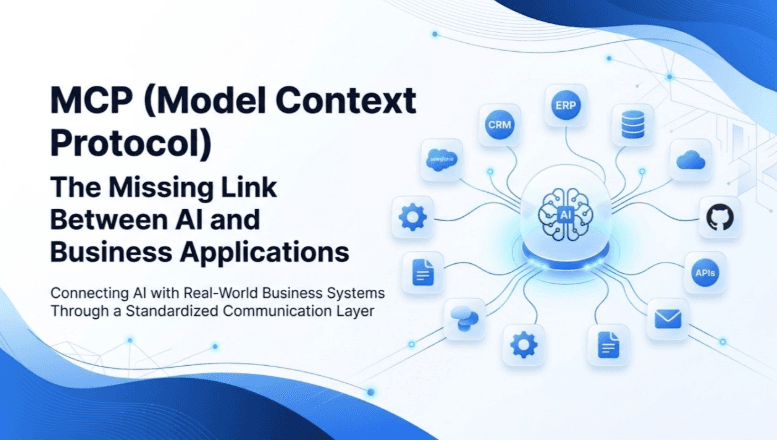
As businesses increasingly adopt AI, connecting intelligent models with external applications and real-time data has become just as important as building smarter models. This is where the Model Context Protocol (MCP) comes in a standardized way for AI systems to communicate with the tools and services they need to perform real-world tasks.
What is the Model Context Protocol (MCP)?
The Model Context Protocol (MCP) is an open source standard that helps to connect AI powered systems with external software applications and platforms (Source:Model Context Protocol Documentation).
Model Context Protocol (MCP) enables two-way communication between AI applications and external systems. Organizations and software providers can make their data and services accessible by creating an MCP server, while developers building AI applications or autonomous agents integrate an MCP client to connect with those servers. This allows AI models to securely access information and perform tasks across different platforms.
MCP Architecture
MCP follows a client-server architecture, where each component has a specific role in enabling secure and efficient communication between AI models and external applications. The three main components are the Host, Client, and Server(Source:Figma).

Architecture of Model Context Protocol (MCP)
MCP Host
The MCP Host acts as the central coordinator. It manages connections, permissions, and communication between AI applications and MCP servers. It also determines when an AI model needs access to an external service and establishes the required connection.
MCP Client
The MCP Client serves as the communication bridge between the AI model and an MCP server. It sends requests from the AI application, receives responses, and ensures information is exchanged smoothly throughout the interaction.
MCP Server
The MCP Server connects directly to external applications such as databases, cloud storage, or productivity tools. It processes requests received from the MCP client, interacts with the target application, and returns the results in a standardized format.
How MCP Works ?
At its core, Model Context Protocol (MCP) follows a simple request-and-response model. An AI application sends a request to access information or perform a task, while the connected system processes that request and returns the required data or executes the action. This communication is based on a client-server architecture, where the MCP client initiates requests and the MCP server responds accordingly(Source:Figma).
MCP Key Features
To enable seamless integration between AI applications and external systems, MCP defines three key features(Source:Figma).

Key Features of Model Context Protocol(MCP)
Resources
Resources provide the data that AI models need to understand context and make informed decisions. This can include files, database records, documents, code snippets, images, or other relevant information.
Tools
Tools allow AI applications to perform actions within connected systems. For example, an AI assistant can execute a database query, send an email, or update a CRM record through an MCP-enabled tool.
Prompts
Prompts are predefined instructions or templates that guide AI models when interacting with specific applications. They help ensure more consistent, accurate, and efficient responses while working with available resources and tools.
How MCP Standardizes Communication
To ensure reliable communication between AI applications and external systems, MCP provides a consistent framework for how servers expose their capabilities. This allows AI models to interact with different applications using the same standardized approach.
Standardized Response Format
MCP converts information from different sources into a consistent format, ensuring AI applications can process data reliably regardless of where it comes from.
Request Translation
The MCP server interprets requests from the AI model and translates them into commands that external applications can understand, such as API requests or database operations.
Error Handling
If a request cannot be completed, MCP returns standardized error messages. This helps AI applications identify the issue, retry the request when appropriate, or ask the user for additional input.
Tool Discovery
MCP allows AI applications to automatically discover the tools and functions available on a connected server, making it easier to identify what actions can be performed without manual configuration.
Why it Matters for AI Integration?
MCP is gaining widespread adoption because it makes integrating AI models with external applications much simpler than traditional custom integrations.
One of its biggest advantages is reusability. AI developers only need to implement MCP once, allowing their applications to connect with any MCP-compatible server.
Another major benefit is interoperability. Since all MCP clients and servers follow the same standard, developers can easily replace or connect different applications without rebuilding integrations.
MCP also helps accelerate AI innovation. By reducing the need for repetitive integration work, developers can spend more time building new capabilities instead of maintaining custom connections. As more applications adopt MCP, AI systems become better at understanding context and interacting with the tools people use every day.
How Armor Tech Can Help
Understanding technologies like MCP is only the first step—the real value comes from putting them into practice. At Armor Tech, we work with businesses to transform these ideas into real-world AI solutions, from intelligent automation and AI agents to seamless integrations with existing business systems.
Interested in exploring how AI can transform your business? Visit Armor Tech to learn more about our solutions and services.
References
Model Context Protocol Documentation.What is MCP?
https://modelcontextprotocol.io/docs/getting-started/intro
Figma.What is Model Context Protocol (MCP)?